TL;DR — Quick Summary
CFDI payment complement invalid UUID relation: fix PPD invoice fiscal folio in DoctoRelacionado, partiality and balances before stamping REP in Aspel or PAC.
When stamping a payment complement (REP — Recepción de Pagos), PAC or SAT may reject the XML with “Invalid UUID relation”, “UUID does not exist in SAT database” or codes CFDI33102 and CFDI40194. The error targets DoctoRelacionado, where the exact fiscal folio of the PPD income CFDI being paid must appear.

The Error
Typical messages when UUID is wrong:
CFDI33102: UUID attribute does not exist in SAT database
CFDI40194: Related UUID is not valid
Related invoice UUID is not valid
Stamping stops, no REP fiscal folio is generated and the collection lacks fiscal payment proof.
Root Cause
Payment complement version 2.0 requires each DoctoRelacionado node to reference an existing, valid PPD income CFDI. Most frequent UUID invalid causes:
- Mis-copied fiscal folio — spaces, missing characters or draft UUID never stamped.
- Cancelled or replaced invoice — UUID points to CFDI no longer active at SAT.
- Wrong RFC CFDI — UUID belongs to issuer different from CSD used to stamp REP.
- PUE instead of PPD invoice — complement not allowed; PAC rejects relation.
- Credit note or expense UUID — only income type I CFDI for normal collections.
- Duplicate partiality — payment already registered with same UUID and partiality number.
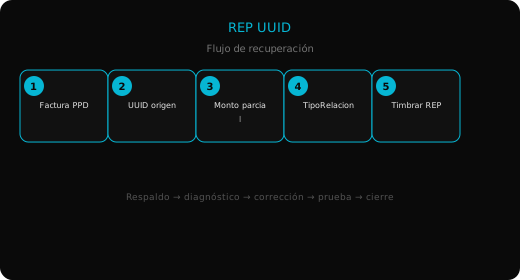
Step-by-Step Solution
Step 1: Get correct UUID
- In Aspel SAE, open original income invoice → Consult CFDI → copy fiscal folio.
- Alternative: upload XML to SAT verifier and confirm Valid status.
- UUID format:
XXXXXXXX-XXXX-XXXX-XXXX-XXXXXXXXXXXX(36 characters).
Never use internal SAE folio or printed invoice number; only stamped UUID.
Step 2: Validate related CFDI requirements
Before generating REP confirm:
- TipoDeComprobante: I (Income)
- MetodoPago: PPD
- FormaPago on invoice: 99 (To be defined)
- SAT status: Valid
- Issuer RFC: matches active CSD
If invoice was PUE, cancel and reissue as PPD before any complement.
Step 3: Review DoctoRelacionado and balances
| Field | Rule |
|---|---|
| IdDocumento (UUID) | Identical to income CFDI |
| NumParcialidad | Consecutive: 1, 2, 3… |
| ImpSaldoAnt | Invoice total (1st payment) or previous insolute balance |
| ImpPagado | Amount received in this payment |
| ImpSaldoInsoluto | ImpSaldoAnt − ImpPagado |
Correct UUID with inconsistent balances also causes rejection.
Step 4: Regenerate complement in Aspel SAE
- Accounts Receivable → Collections → select payment.
- Delete failed REP draft if UUID was wrong.
- Generate Payment CFDI again so SAE links UUID from invoice tied to collection.
- If migrated data, resync CFDI links per version tools.
If SAE persists with wrong UUID due to corrupt history, capture REP in PAC portal with manually validated UUID.
Step 5: Stamp and validate at SAT
- Stamp complement and save XML + PDF.
- Query REP UUID in SAT verifier.
- Confirm original income CFDI shows correct accumulated related payments.
Alternative Solution
Manual PAC portal: enter UUID, partiality, prior balance, paid amount, payment form on Pago node and stamp. Import resulting XML to ERP if supported.
Prevention
- Issue credit sales always as PPD + form 99 when collection will be later.
- When registering collections in SAE, link payment to stamped invoice, not orders or proformas.
- Keep original XML repository; PDF UUID sometimes truncates when copying.
- Do not cancel intermediate complements without recalculating following partialities.
Related Issues
One REP for multiple invoices: each invoice needs its own DoctoRelacionado node with distinct UUID.
Replaced invoice after cancellation: payments must link to new valid fiscal folio, not cancelled one.
Error 401 when stamping REP: renew CSD before retrying UUID (see related 401 article).
Summary
- Invalid UUID relation means nonexistent, cancelled, wrong RFC or non-PPD fiscal folio.
- Copy UUID from stamped XML and validate Valid status at SAT.
- Check NumParcialidad and balance amounts besides UUID.
- Regenerate REP from Collections or use manual PAC if ERP data is corrupt.
- Only PPD invoices allow payment complements.